
One interface for sports, games, wallet tools and account management
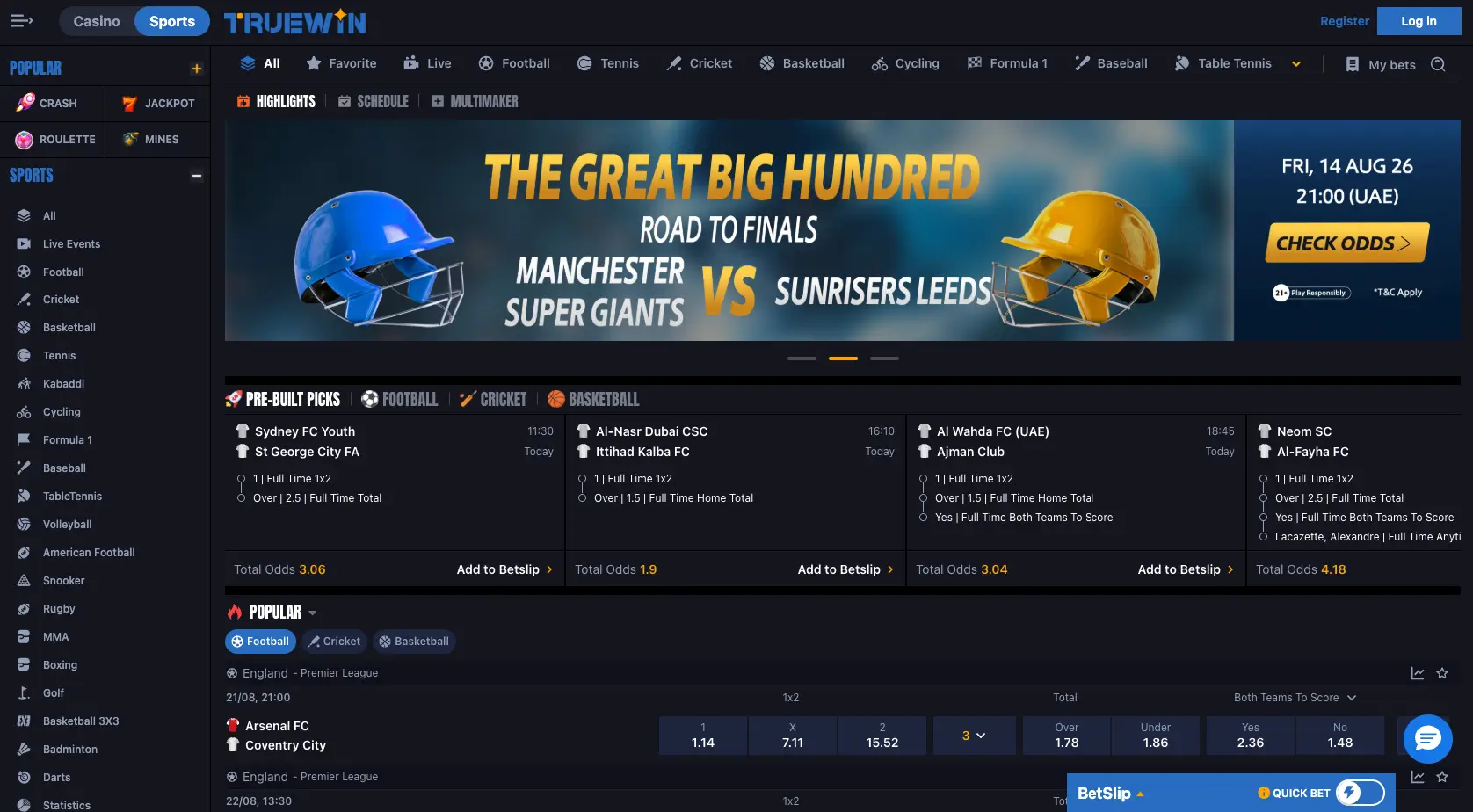
The structure is straightforward: each task has a clear area. Sports is for fixtures, markets and the bet slip; Casino is for games; Wallet is for deposits and withdrawals; Bet History reviews betting activity and Transactions follows financial requests. Help, messages and the mobile app sit alongside those core functions so users do not have to search through unrelated screens for everyday account tasks.
Sports and casino: different content, separate routes
The sports section is built around events. Choose the sport, move into a competition or fixture, open the markets and add a selection to the BetSlip. Live and upcoming events are separated, with categories including football, cricket, basketball, tennis and many other sports. The structure encourages users to identify the exact event before thinking about the stake.
The casino area works differently because it is organised around game categories rather than scheduled fixtures. Sections can include Popular, Slots, Roulette, Cards, Mines and others. Users can open a game from the relevant category and review its information before beginning a session.
Keeping sports and games separate is also useful for time and budget control. Moving from a lost bet straight into a game does not reduce financial risk. A better approach is to set a clear plan for each session and stop when the predefined limit is reached.
Wallet, history and support
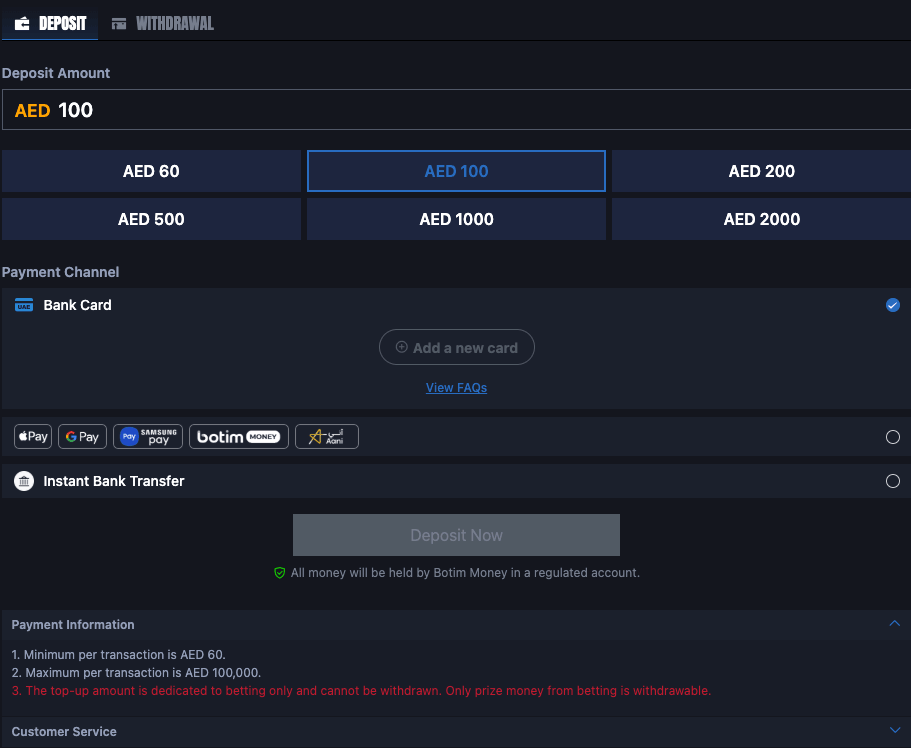
Wallet is the balance area. Deposit and Withdrawal are accessed from there, while transaction status is followed separately. The account uses AED, with a stated minimum deposit of AED 60 per transaction and a stated maximum of AED 100,000. Transactions shows what has been recorded and whether a request is still being processed.
Bet History is separate from Transactions because it follows sports activity rather than money movement. Reviewing both gives a more complete picture: what was deposited or requested for withdrawal, and which bets were placed and when. That is more reliable than trying to reconstruct activity from memory.
If something goes wrong, Help, Message and Live Chat may be available. Start by checking the relevant history screen, then send a clear description with the transaction reference or event details. Passwords and verification codes should never be included in the message.
Desktop and mobile use
A desktop interface provides more space to see fixtures, markets and the bet slip together, while the mobile app rearranges those functions for a smaller display. The core areas remain similar — Sports, Wallet, History and the menu — but on mobile it is especially important to open full details before confirmation because long market names may not fit on one line.
The Android app runs on Android 4.4 or later. Use the download path inside the account and avoid APK files from unknown sources. Keep the phone updated and sign out after use when the device is shared.
Whatever the device, use the account through deliberate checks rather than speed. Verify the market before a bet, the details before a transaction, and the history after finishing. Those habits reduce avoidable mistakes and make time and budget easier to control.